找回密码
 注册
搜索
查看: 67402|回复: 61

[GH插件] gh插件 Centipede

[复制链接]
发表于 2011-6-22 02:56:28 | 显示全部楼层 |阅读模式
本帖最后由 ping88 于 2011-6-23 00:10 编辑

MeshObject: The input for this should be
the geometry you would like to animate
and export to 3D Studio. Convert breps to
mesh if necessary.
FileDir: This is the directory in which
the .OBJ sequence will be saved. By
default it is set to your C:/ home directory.
SaveFile: A toggle that determines if the
geometry will be saved during the timeline
animation. NOTE! make sure this is only
“true” when you want to export.
Timeline: This should be the same timeline
you are using to animate the geometry.
.
Components: Under the ‘Animation’ tab
there are two components. The first is the
Centipede node, the second is the export node.
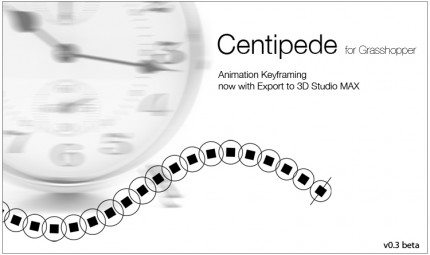
logo03b-430x255.jpg

Centipede.gha

17 KB, 阅读权限: 20, 下载次数: 43, 下载积分: 照度 -1 lux

售价: 1 lux照度  [记录]  [购买]

ExportLegs.gha

17.5 KB, 阅读权限: 20, 下载次数: 41, 下载积分: 照度 -1 lux

售价: 1 lux照度  [记录]  [购买]

教程.rar

505.57 KB, 下载次数: 161, 下载积分: 照度 -1 lux

Centipede b0.3[autosave].gh

51.88 KB, 阅读权限: 20, 下载次数: 11, 下载积分: 照度 -1 lux

售价: 1 lux照度  [记录]  [购买]

Centipede b0.3.ghx

336.26 KB, 阅读权限: 20, 下载次数: 17, 下载积分: 照度 -1 lux

售价: 1 lux照度  [记录]  [购买]

._Centipede b0.3.ghx

82 Bytes, 下载次数: 19, 下载积分: 照度 -1 lux

._Centipede2Max 0.3b.ms

82 Bytes, 下载次数: 15, 下载积分: 照度 -1 lux

._ReadMe.pdf

82 Bytes, 下载次数: 39, 下载积分: 照度 -1 lux

评分

参与人数 1强度 +2 照度 +5 收起 理由
123321123 + 2 + 5

查看全部评分

发表于 2011-6-22 04:58:44 | 显示全部楼层
WOW`抢个一楼···
回复

使用道具 举报

发表于 2011-6-22 09:14:57 | 显示全部楼层
不知道怎样,试试先。谢谢楼主
回复

使用道具 举报

发表于 2011-6-22 10:48:49 | 显示全部楼层
是到处动画的吗?
回复

使用道具 举报

发表于 2011-6-22 11:23:19 | 显示全部楼层
多谢楼主了
回复

使用道具 举报

发表于 2011-6-22 13:54:38 | 显示全部楼层
努力学习中。。。。。。。
回复

使用道具 举报

发表于 2011-6-22 14:10:00 | 显示全部楼层
下一个试试。。。这是做什么的呀?
回复

使用道具 举报

发表于 2011-6-22 14:30:01 | 显示全部楼层
谢谢楼主 赚下照度
回复

使用道具 举报

发表于 2011-6-22 15:13:33 | 显示全部楼层
好歹介绍下撒
回复

使用道具 举报

发表于 2011-6-22 16:13:16 | 显示全部楼层
用用先..谢谢楼主
回复

使用道具 举报

发表于 2011-6-22 17:19:27 | 显示全部楼层
怎么用呢,哪里下载的。
回复

使用道具 举报

发表于 2011-6-22 18:15:48 | 显示全部楼层
有教程就好了,还是谢谢,自己探索吧。
回复

使用道具 举报

发表于 2011-6-22 20:18:44 | 显示全部楼层
没懂啊~~~
回复

使用道具 举报

发表于 2011-6-22 22:40:26 | 显示全部楼层
感谢楼主分享
回复

使用道具 举报

发表于 2011-6-22 23:32:36 | 显示全部楼层
下一个看看,不知怎么使。。。
回复

使用道具 举报

发表于 2011-6-22 23:38:15 | 显示全部楼层
弱弱的问问怎么使呀
回复

使用道具 举报

发表于 2011-6-23 00:03:40 | 显示全部楼层
干什么用的?
回复

使用道具 举报

 楼主| 发表于 2011-6-23 00:04:55 | 显示全部楼层

使用教程发上了

本帖最后由 ping88 于 2011-6-23 00:12 编辑

使用教程发上了,大家看看就知道。

教程.rar

505.57 KB, 下载次数: 69, 下载积分: 照度 -1 lux

评分

参与人数 1强度 +2 照度 +5 收起 理由
123321123 + 2 + 5

查看全部评分

回复

使用道具 举报

发表于 2011-6-23 07:27:11 | 显示全部楼层
跟maya motion path_snap shot差不多

评分

参与人数 1强度 +2 收起 理由
ping88 + 2

查看全部评分

回复

使用道具 举报

发表于 2011-6-23 08:32:33 | 显示全部楼层
有教程了,谢谢奉献!自己探索了。

评分

参与人数 1强度 +5 照度 +10 收起 理由
ping88 + 5 + 10 期待你的发现

查看全部评分

回复

使用道具 举报

NCFZ微信公众号

手机版|小黑屋|NCF参数化建筑论坛 ( 浙ICP备2020044100号-2 ) 辽公网安备21021102000973号

GMT+8, 2026-11-23 18:20 , Processed in 0.050918 second(s), 30 queries , Gzip On.

Powered by Discuz! X5.0 Licensed

© 2001-2026 Discuz! Team.

快速回复 返回顶部 返回列表