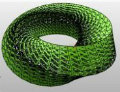
Call Main()
Sub Main()
Rhino.AddLayer "black",RGB(0,0,0) 'define a New layer
Dim headPt,endPt : endPt = Array (0,0,0)
'define begining point and terminal point
'pre-define the coordinate of the endPoint as the Looping beginning Point
Dim StrLine
Dim r,g,b : r=0 : g=0 : b=0 'define the RGB colour Value
Dim count : count = 0 'define the looping counter
Const EDGELEN = 500 'Define the Length of Line
Do
headPt = endPt 'evaluate the coordinate to headpoint
endPt = getPt (EDGELEN) 'call the subroutine,get a random point
strLine = Rhino.AddLine(headPt,endPt) 'create a line
Rhino.ObjectLayer strLine ,"black" 'set the Layer of Line
Rhino.ObjectColor strLine ,RGB(r,g,b) 'set the color of Line, 1st is whight
r = r + 1 'shift the R color ,step-Len is 1
If r >= 255 Then
r = 0
End If
b = b + 2 'shift the B color ,step-Len is 2
If b >= 255 Then
b = 0
End If
g = g + 3 'shift the G color ,step-Len is 3
If g >= 255 Then
g = 0
End If
'此处将RGB的步长调整为不同,这样就可以生成彩色的线了
count = count + 1 'The looping step
If count > 5000 Then Exit Do ' The looping Judge term
Loop
End Sub
Function getPt (EDGELEN) 'subroutine
Dim randomNum : randomNum = Int(Rnd()*6) 'generate a random number 0~6
Select Case randomNum 'condition Judgement
Case 0
getPt = Array(Int(Rnd() * EDGELEN), Int(Rnd() * EDGELEN), 0)
' get a point on x-y plane
Case 1
getPt = Array(0, Int(Rnd() * EDGELEN), Int(Rnd() * EDGELEN))
' get a point on y-z plane
Case 2
getPt = Array(Int(Rnd() * EDGELEN), 0, Int(Rnd() * EDGELEN))
' get a point on x-z plane
Case 3
getPt = Array(Int(Rnd() * EDGELEN), Int(Rnd() * EDGELEN), EDGELEN)
' get a point on plane which parallel to x-y plane with 500 distance
Case 4
getPt = Array(Int(Rnd() * EDGELEN), EDGELEN, Int(Rnd() * EDGELEN))
' get a point on plane which parallel to x-z plane with 500 distance
Case 5
getPt = Array(EDGELEN, Int(Rnd() * EDGELEN), Int(Rnd()* EDGELEN))
' get a point on plane which parallel to y-z plane with 500 distance
Case Else
rhino.Print "else"
End Select
End Function |
 楼主: f(x)


 辽公网安备21021102000973号


 狗仔卡

 发表于 2010-3-23 11:04:35
 显身卡

 发表于 2010-4-17 23:58:38



 发表于 2010-5-18 22:03:18